
The most expensive mistake in a website redesign is not bad design. It is a new site that looks better but loses half its Google traffic after launch. It happens when page addresses change, content that ranked well disappears or redirects are forgotten. This article walks through the process we use for redesigns and platform moves, plus a checklist you can go through with any supplier.
If you are still deciding whether you need a redesign at all, start with 7 signs your website has stopped working for you.
Why websites lose rankings after a redesign
Google remembers specific page addresses and what was on them. When either changes in a redesign, the site has to be "learned" again. The most common causes of a drop:
- Changed addresses without redirects. The old address returns a 404 error, and both Google and links from other sites lead nowhere.
- Deleted or cut content. A page that ranked for an important query disappears, or only two sentences of it remain.
- Lost page titles and descriptions. The new system generates them automatically, and worse.
- A forgotten noindex. The staging version blocked indexing and the setting carried over to the live site.
- A slower site. Nicer animations and large images slow down loading, especially on phones.
Before the redesign: map what works
Before anyone starts designing, you need to know what brings traffic to the current site.
- A list of every address. Download the sitemap or crawl the site with a tool that lists all URLs.
- Your strongest pages from Google Search Console. Export the pages and queries with the most clicks and impressions over the last 12 months.
- Links from other sites. Find out which pages directories, media and partner sites link to. They must still work after the redesign.
- Titles, descriptions and headings. Save them so they can be carried over or improved, not lost.
- Baseline numbers. Traffic, clicks and rankings before launch, so you have something to compare with.
During the redesign: addresses, content and redirects
Keep addresses wherever you can. The safest redesign is one where pages stay on the same URLs. Google then sees only that the look has changed.
If an address has to change, set up a 301 redirect. Every old address should lead straight to the closest new page, ideally in a single hop. Redirecting everything to the homepage is treated almost like a 404.
Do not delete content that ranks. Rewrite it, expand it, give it a new design, but keep the topic, keywords and main headings.
Carry over page titles and descriptions. For important pages, improve them while you are at it, for example by adding a price or a location.
Check structured data and language versions. If the site has several languages, each version must point to the others correctly (hreflang).
Hide the staging version from Google, but do not forget to remove the block before launch.
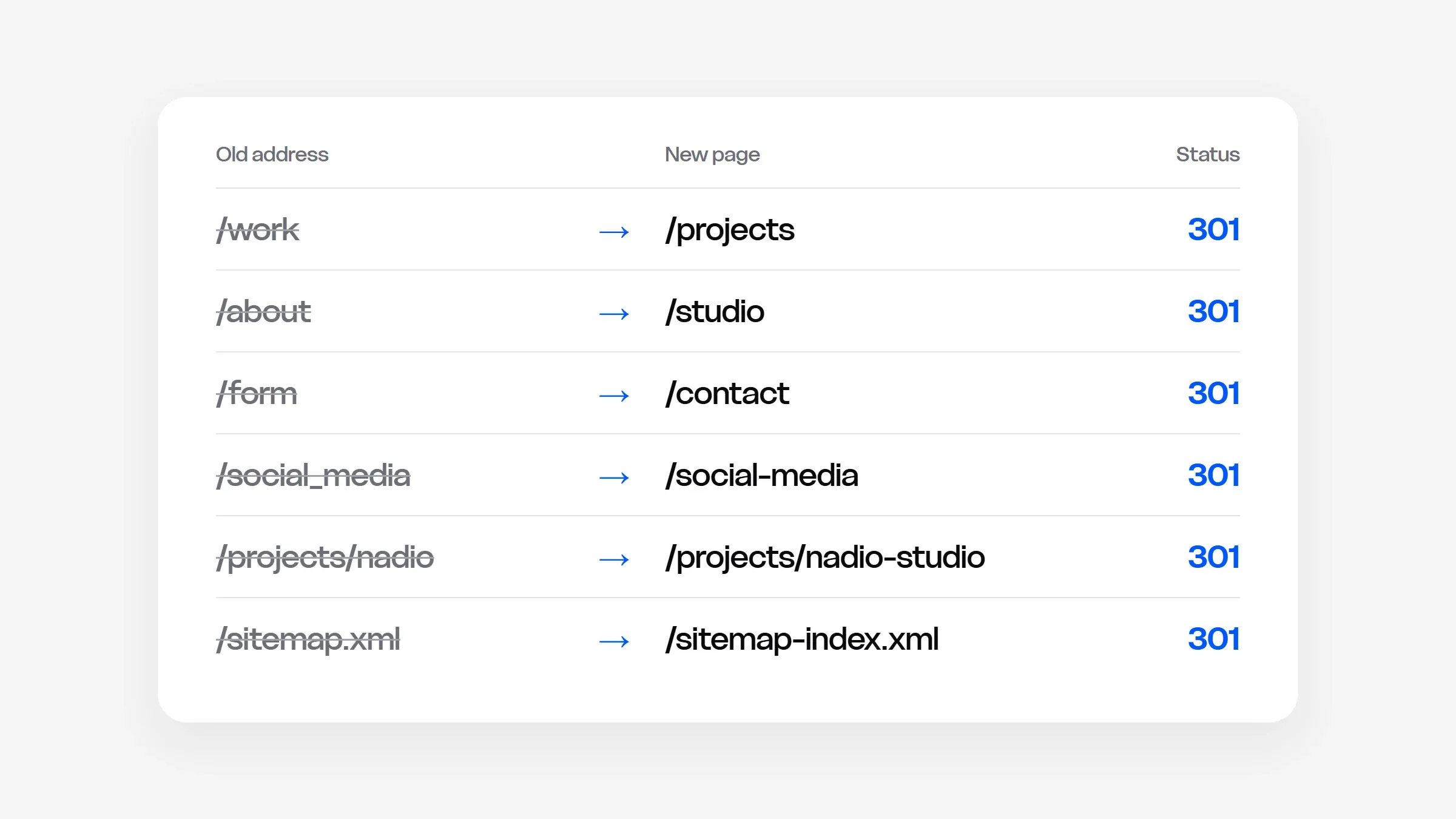
Old addresses Search Console still remembered after we moved our website. Each one leads with a 301 to the closest new page, not the homepage.
At launch: what to check on day one
- The site can be indexed: no block in the settings or in robots.txt.
- Old addresses redirect to new ones with a 301, not a 302 or 307.
- Addresses with and without a trailing slash, with and without www, all lead to one version.
- The new sitemap is submitted in Google Search Console and Bing Webmaster Tools.
- Analytics and cookie consent work.
- Forms send inquiries where they should.
After launch: the first weeks
A small drop in the first days is normal while Google crawls the new pages. Watch the trend over four to eight weeks:
- Errors in Search Console: pages returning 404, broken redirects, pages not indexed.
- Rankings for your most important queries from the export you made before the redesign.
- Mobile speed in PageSpeed Insights.
If something drops out, it is usually a missing redirect or lost content, and it can be fixed quickly.
How we did it on our own website
We moved our website from Framer to our own setup. Every page stayed on the same address, so Google did not have to find anything from scratch. We carried over titles, descriptions and content, and improved them on the important pages. We set up permanent 301 redirects for addresses with a trailing slash and the .html extension, and submitted the new sitemap to both Google Search Console and Bing Webmaster Tools.
The result: Google impressions are growing after launch and roughly doubled over the last month. The new site is also faster, scoring around 100 for both performance and accessibility in PageSpeed Insights.
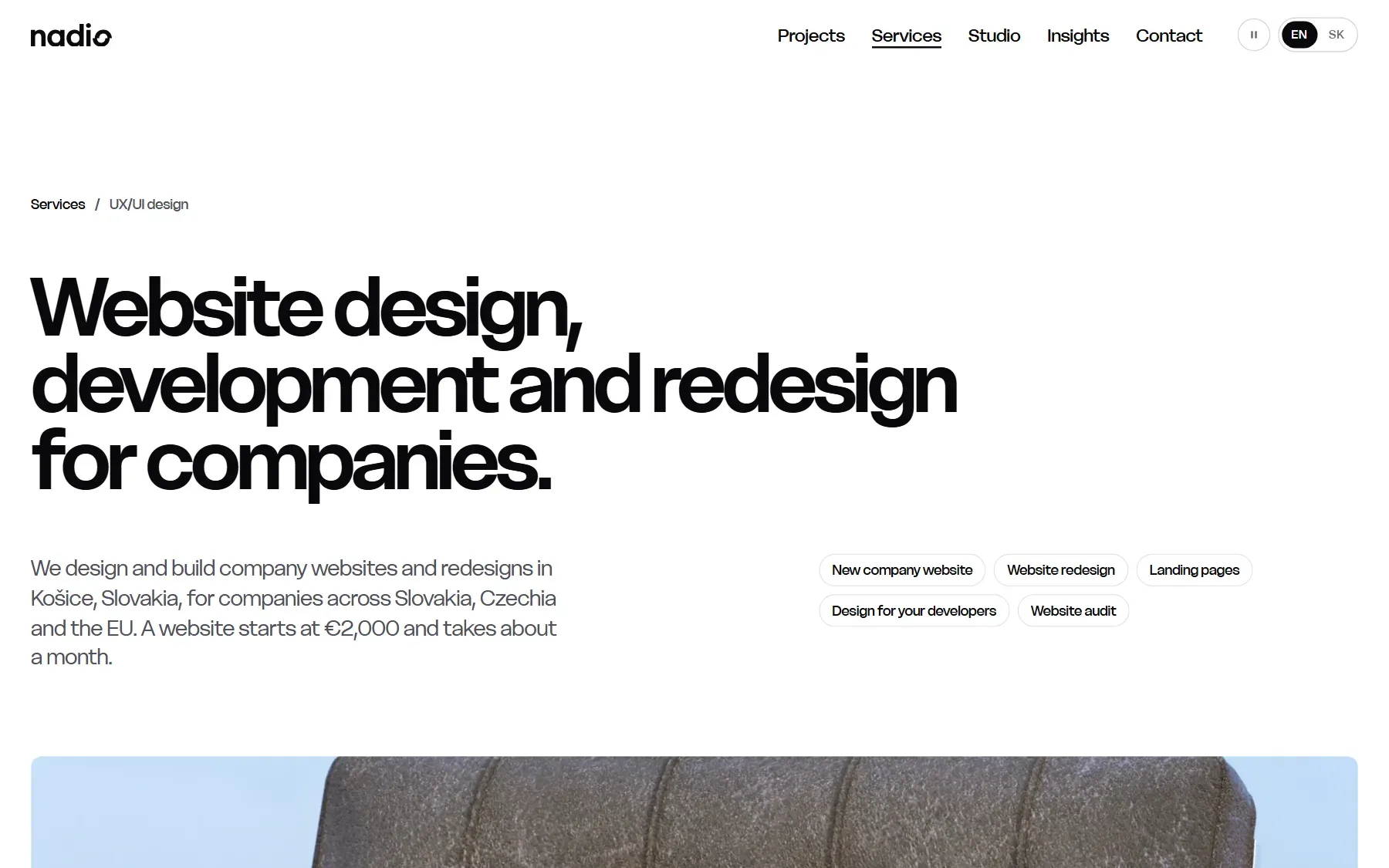
Our website after the move from Framer, on the same addresses as before: Nadio Studio.
Checklist
- A list of every old address.
- An export of your strongest pages and queries from Search Console.
- A list of pages that other sites link to.
- A map of old and new addresses with 301 redirects.
- Titles, descriptions and headings carried over.
- Content that ranks, kept.
- Language versions and structured data.
- The indexing block removed at launch.
- A new sitemap in Search Console and Bing Webmaster Tools.
- Errors and rankings checked over four to eight weeks.
Frequently asked questions
Will I lose Google rankings in a redesign? You do not have to. If addresses stay the same or are correctly redirected, and content that ranks does not disappear, Google usually handles the change without a major drop.
What is a 301 redirect? A permanent redirect from an old address to a new one. It tells Google the page has moved for good and passes the page's value to the new address.
How long until rankings settle after a redesign? Usually four to eight weeks. Traffic may dip in the first days while Google crawls all the new pages.
Can I move a website to a different platform without changing addresses? Yes, that is exactly how we moved our own site from Framer. You just need to keep the same address structure and redirect small differences, such as trailing slashes.
If you are planning a redesign or a platform move, see how we approach web design and redesigns, or get in touch. We are happy to look at your current site and tell you what to watch out for.